berape marketplace on your WordPress site
With the free berape Pasar plugin, visitors to your site can search ads near them, open ad details, chat with sellers on WhatsApp and post their own ads – all on your site.
🇮🇩 For now, ads and locations on berape are in Indonesia only.
What it looks like
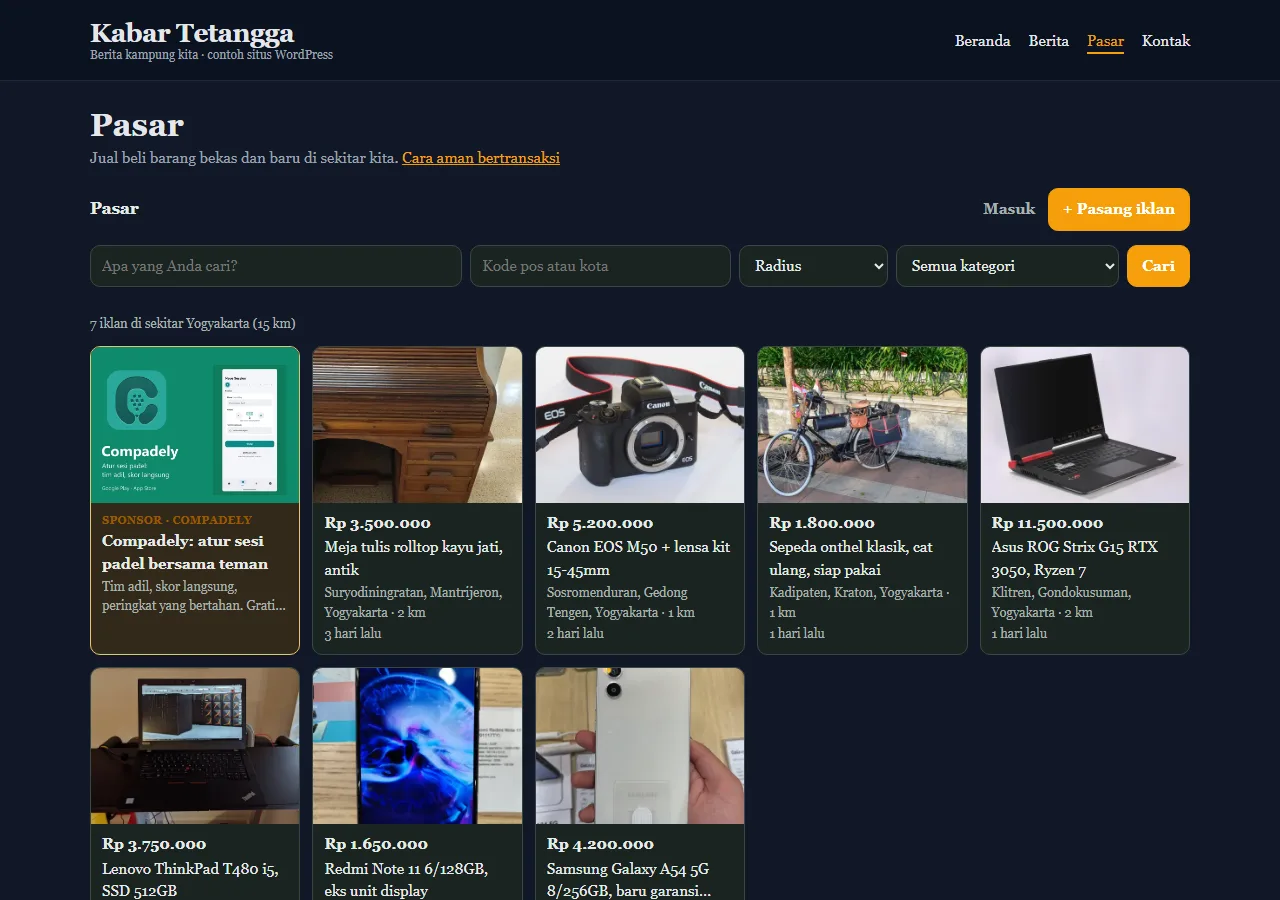
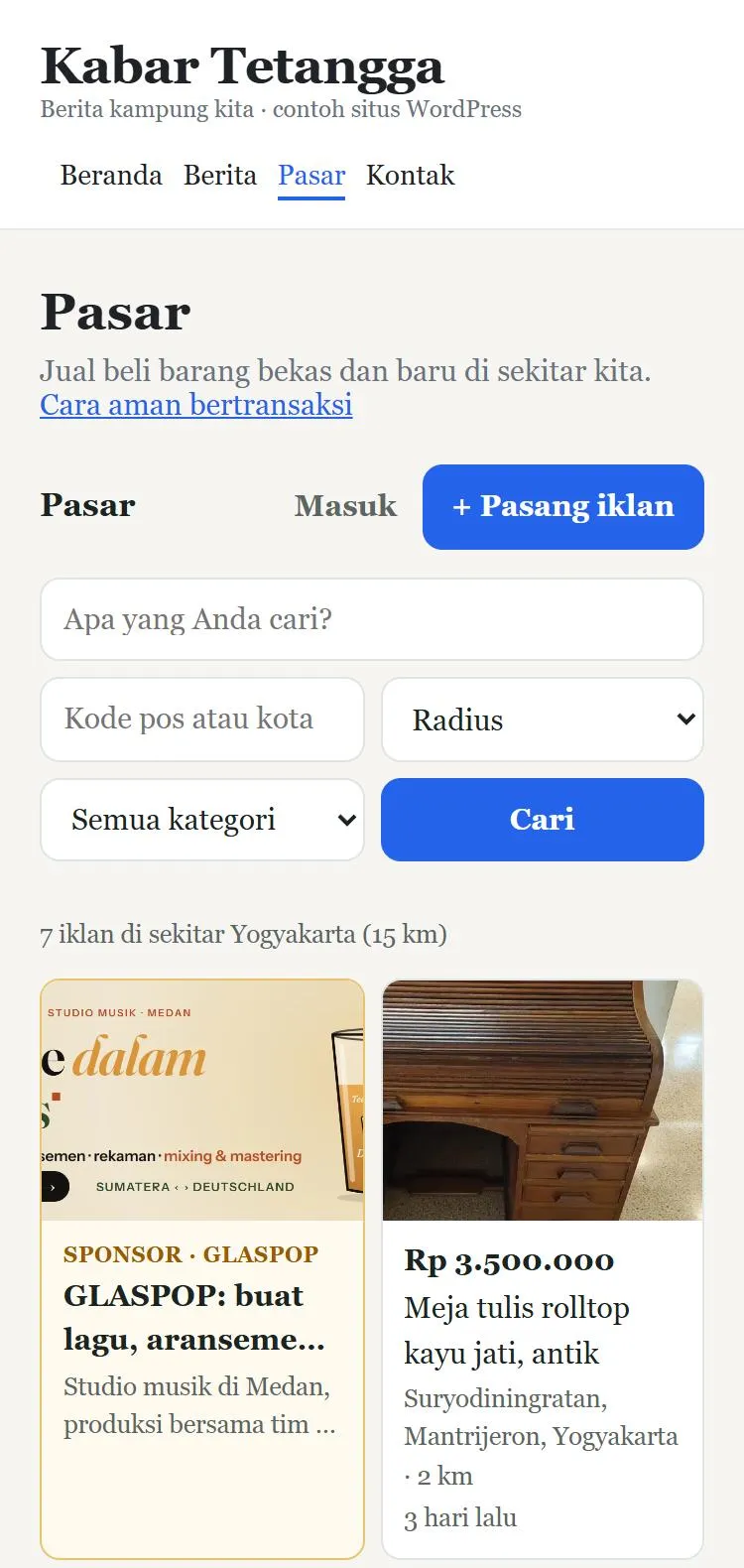
Screenshots of the sample WordPress site “Kabar Tetangga” with real ads around Yogyakarta.
![“Marketplace” page with [berape_pasar] on a light theme. Buttons follow the theme’s link colour (blue).](/gambar/wordpress/pasar-terang.webp)
![Latest-ads box [berape_terbaru] next to an article.](/gambar/wordpress/kotak-terbaru.webp)
Why add berape?
- Free: no setup fee and no monthly fee.
- Fresh local content on your site – ads from your town and region.
- Visitors stay longer and come back more often.
- Matches your theme: font, link colour, dark or light background.
- Ads posted through your site show up in the statistics of your partner dashboard.
Setup in 5 steps
- Register as a partner at berape.com/mitra/daftar: site name and address (e.g.
https://yoursite.com), e-mail and password. - Download the plugin berape-pasar.zip. In WordPress: Plugins → Add New → Upload Plugin, choose the zip, then Install and Activate.
- The partner dashboard (step 1) shows a line
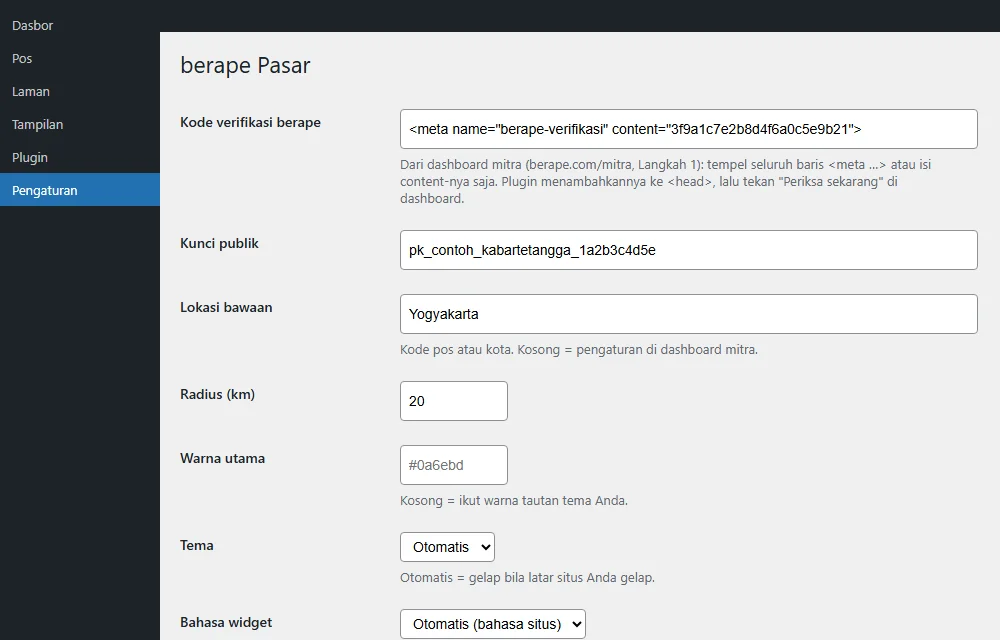
<meta name="berape-verifikasi" …>. Paste it in WordPress under Settings → berape Pasar → berape verification code, save, then press Check now in the dashboard. - Once verified, copy the public key (
pk_…) from the dashboard into Settings → berape Pasar → Public key, and set the default location (town or postcode). - Create a new page, e.g. “Marketplace”, and write
[berape_pasar]. Done!
Shortcodes
[berape_pasar]- Full marketplace: search, ad details, WhatsApp chat, post ads, my ads.
[berape_terbaru jumlah="4" tautan="/pasar"]- Small box with the latest ads, e.g. on the home page or next to articles. Also available as the “Latest berape ads” widget.
[berape_pasar lokasi="55224" radius="10"]- Marketplace for a given location (postcode or town) and radius in km.
[berape_pasar kategori="elektronik-hp"]- One category only.
[berape_pasar tema="gelap" warna="#e11d48" sudut="4"]- Appearance: tema (auto, terang = light, gelap = dark), main colour, corner radius in px.
Looks like your site
- Font automatically matches your theme.
- Main colour automatically follows your theme’s link colour, or set it in the plugin settings.
- Dark themes: if your site background is dark, cards, text and inputs turn dark automatically. You can also force light or dark.
- The widget is isolated from your site’s CSS: your theme doesn’t break it and vice versa.
Plans
- Free: the full marketplace on your site. berape sponsors appear occasionally between ads.
- Paid: sell your own sponsor slots to local businesses and keep all the revenue, without berape sponsors, with view and click reports.
Need help?
Write to info@berape.com. Developers who want the API or the widget on non-WordPress sites: see the developer documentation.